
Frequently Asked Questions: HKRA CPD Platform for Purchased Members
This FAQ provides answers to common questions about accessing and using the HKRA website’s features relevant to Continuing Professional Development (CPD) for purchased members, including viewing records, self-reporting, and registering for events.
How do I access my CPD records and the Annual Report page?
To view your official HKRA CPD records and manage self-reported activities, you must first log in to your HKRA website account.
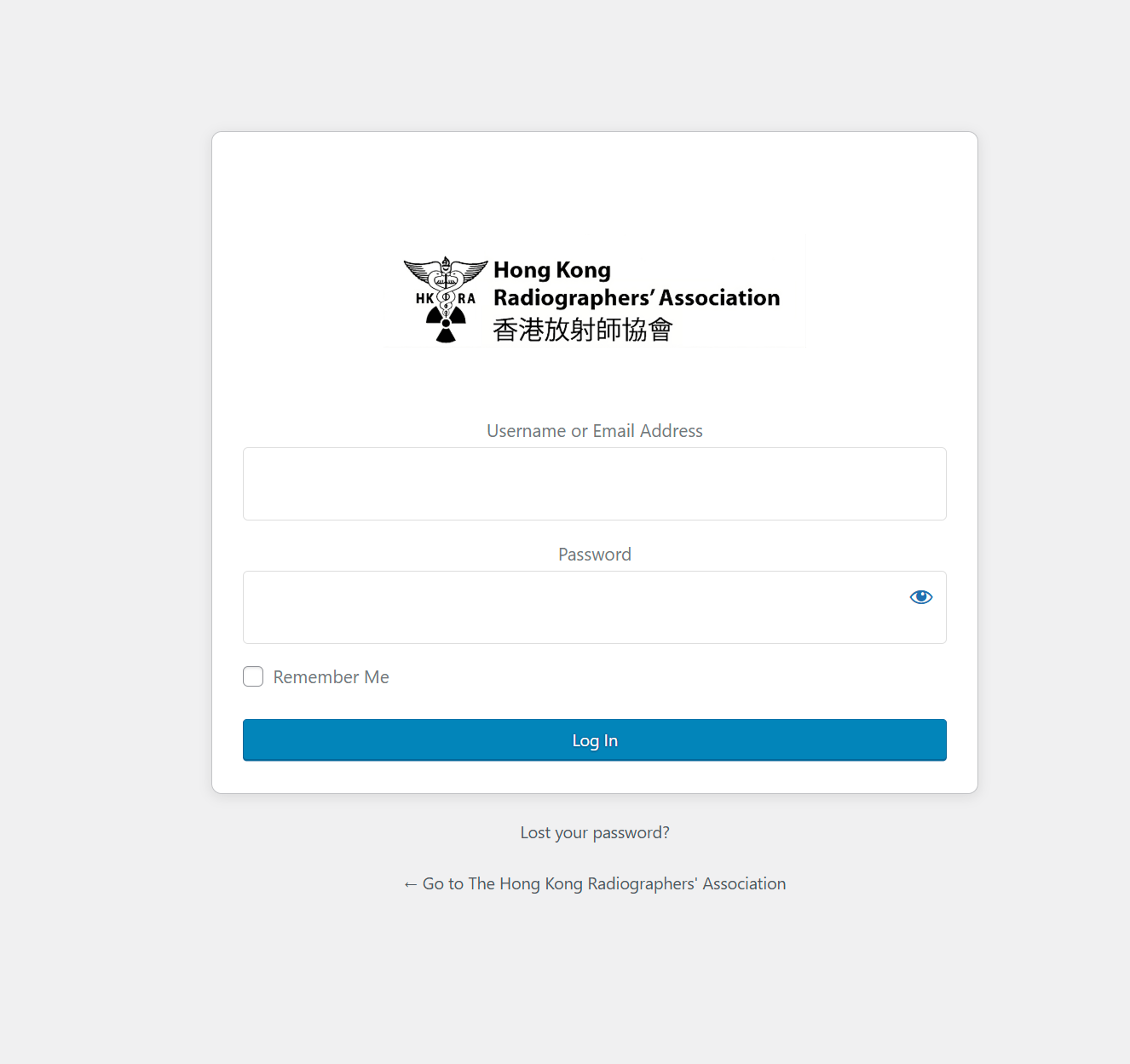
- Open your web browser and navigate to the main HKRA website login page: http://staging.hkra.org.hk/wp-login.php
- Enter your registered HKRA website Username or Email Address and your Password in the provided fields.

- Click the “Log In” button.
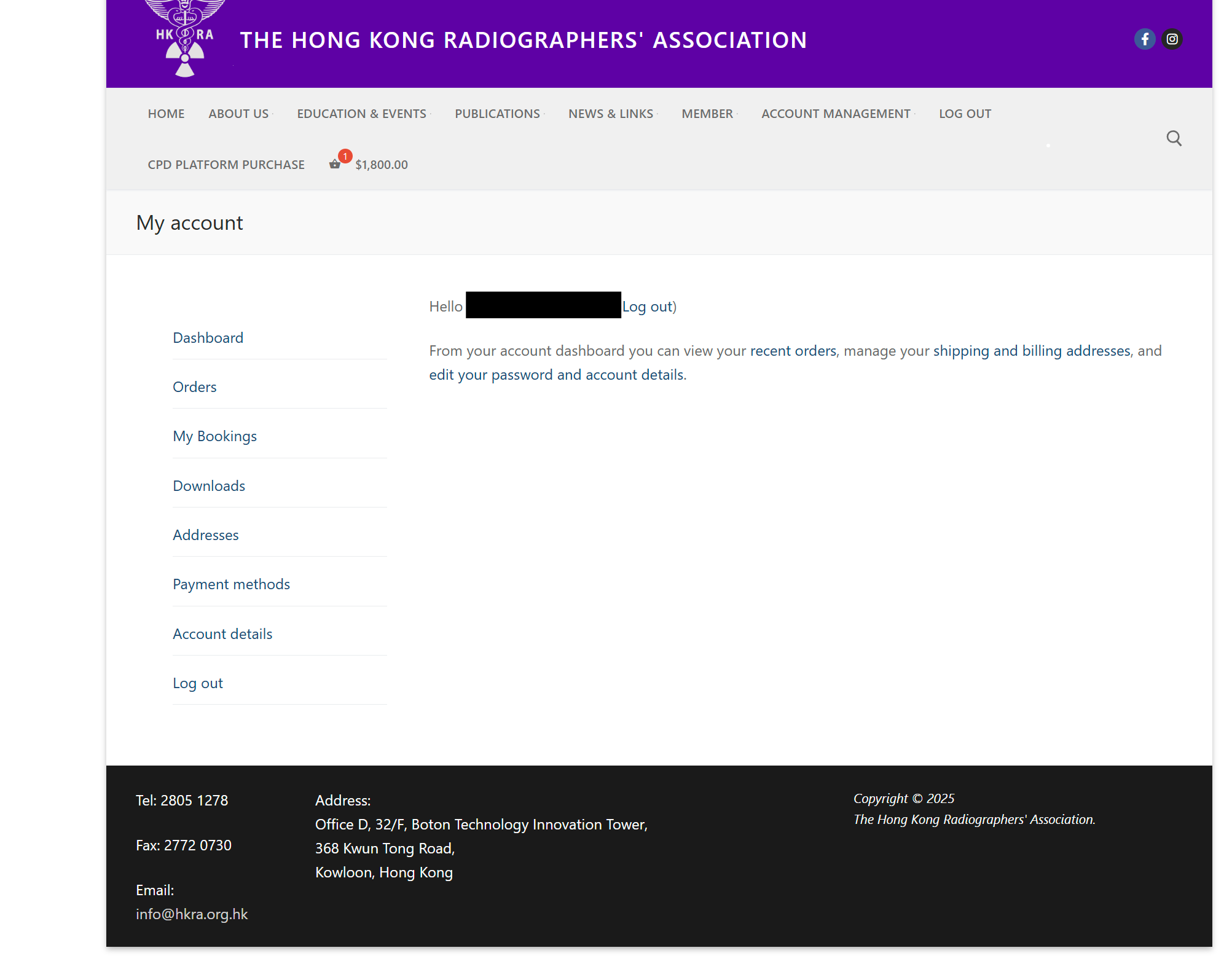
- Upon successful login, you will be redirected to your “My account” dashboard.

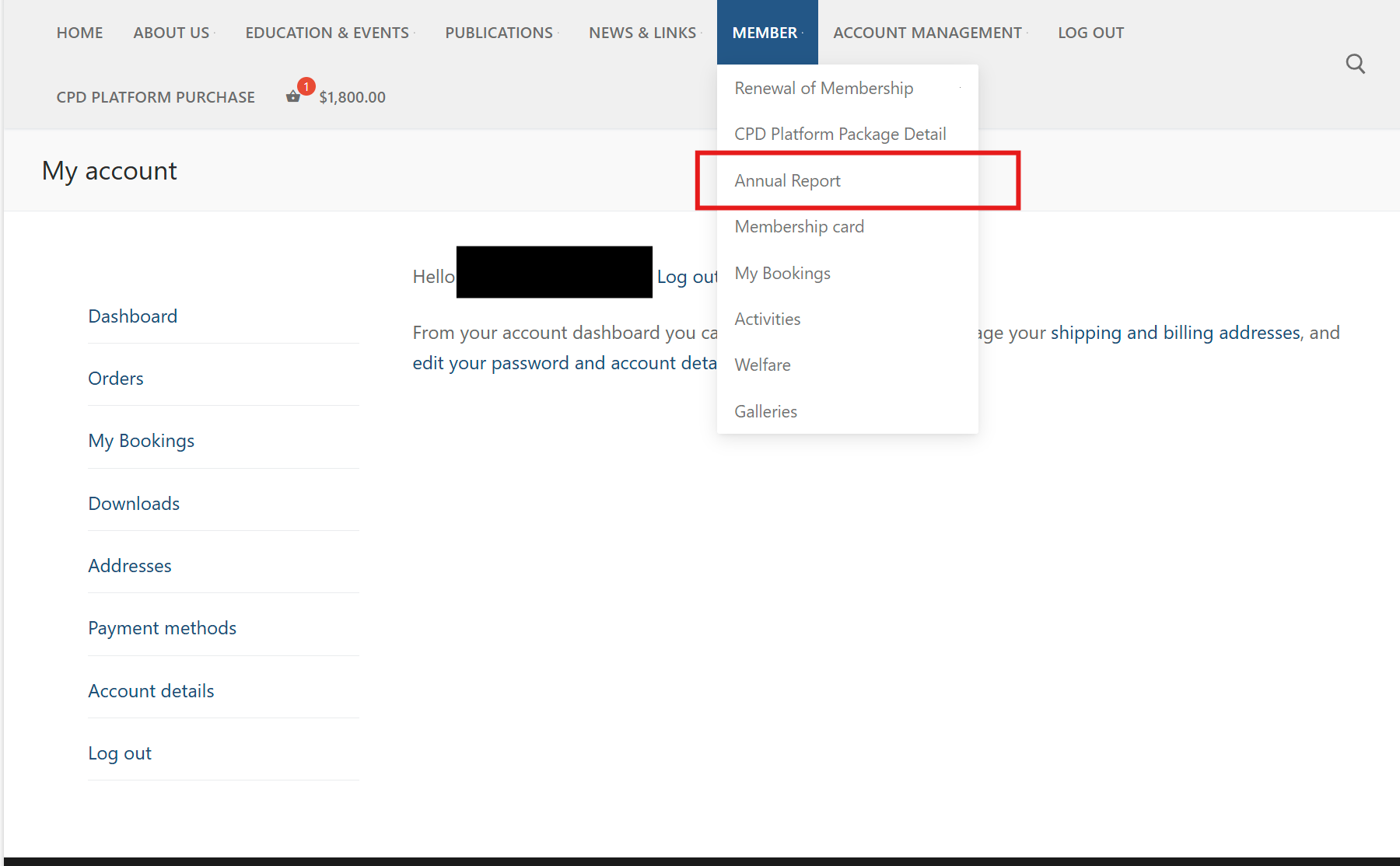
- From your “My account” dashboard, navigate to the Annual Report page. This is where your official CPD records and the self-reporting feature are located. You can typically find a menu item or link to this page after logging in. The direct URL is http://staging.hkra.org.hk/annual-report/.

What information is available on the Annual Report Page?
The Annual Report page is your central hub for CPD records and includes:
- Date Filters: Fields to select a “From” and “To” date to filter the records displayed.

- CPD & Event Record: A list of CPD activities automatically recorded by HKRA from events or courses you registered for through the website. It shows the Event title, Date, Category, and CPD points, along with a sub-total

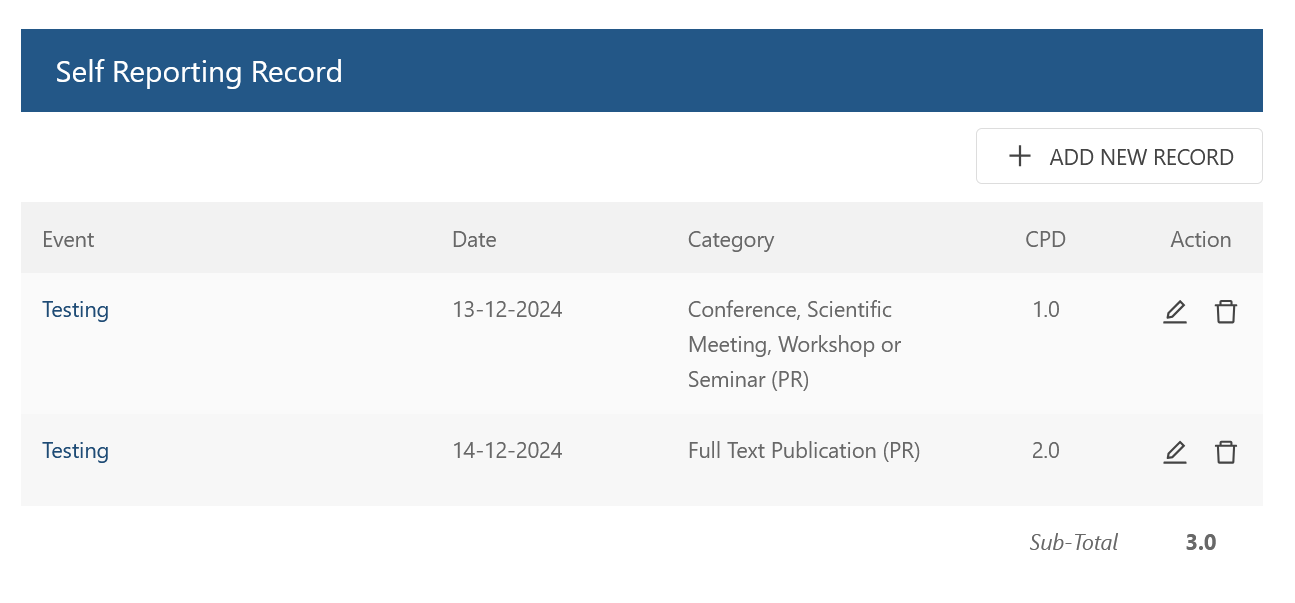
- Self Reporting Record: A section where you can manually add CPD activities completed outside of official HKRA events. It shows the details of your self-reported records and allows editing or deletion, along with a sub-total.

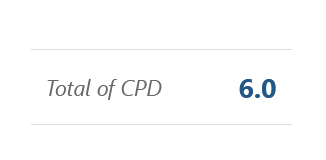
- Total of CPD: The sum of CPD points from both the “CPD & Event Record” and “Self Reporting Record” sections within the selected date range.


How do I add a self-reported CPD record?
To add a CPD activity you completed externally:
- Go to the “Self Reporting Record” section on the Annual Report page.
- Click the “+ ADD NEW RECORD” button.

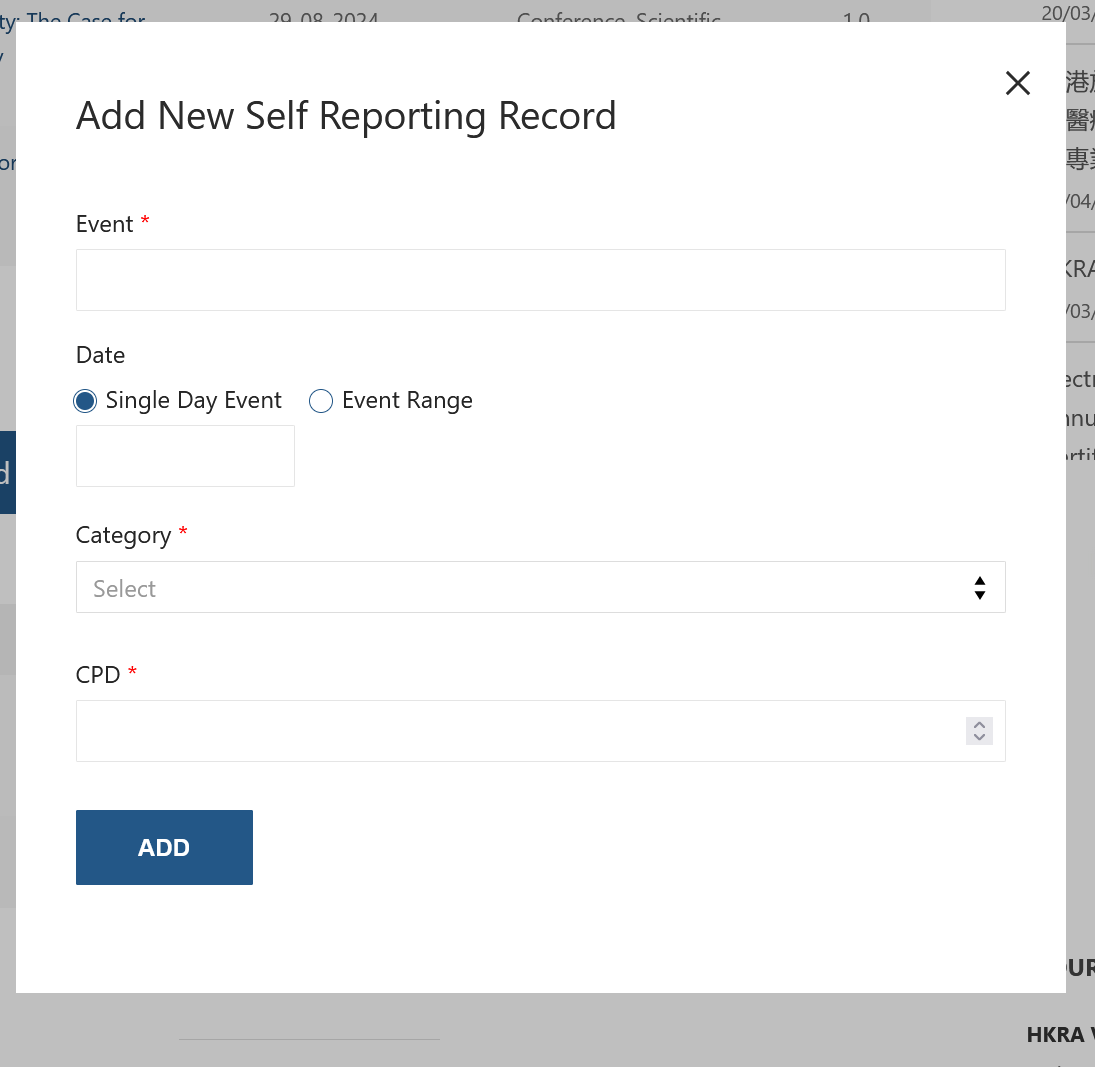
- A modal window titled “Add New Self Reporting Record” will appear.

- Fill in the required details: Event title, Date (Single Day or Range), Category, and CPD points.
- Click the “ADD” button to save the record.

You can also use the pencil icon to Edit or the trash can icon to Delete existing self-reported records. 
How can I view my annual CPD summary?
The Annual Report page itself serves as your annual summary. Use the “From” and “To” date filters at the top of the CPD record sections to specify the period you wish to view. The records and the “Total of CPD” will update accordingly. You can typically print or save this page from your browser to create a copy of your summary for the selected period.
How do I register for webinars and courses as a purchased member?
As a purchased member, most HKRA organized webinars and physical courses are free (excluding some special courses). Registration is done through the standard event listing and checkout process:
- Navigate to the HKRA All Events page: http://staging.hkra.org.hk/all-events/
- Browse the events and click on the one you want to register for. Follow the specific instructions on the event page.
- Register through the link provided on the event page (e.g., add a ticket to your cart).
- Ensure you are logged in with your purchased member account. The free registration or discount will be applied automatically at checkout.
- Complete the checkout on the HKRA website. Note that some events may require further registration on a partner organization’s website after HKRA checkout. Follow any additional steps if redirected.
For webinars, you should receive an attendance link after successful registration. If you do not receive this link within 1 day, check your spam/junk folders and ensure you completed all registration steps on both the HKRA and partner websites (if applicable). For support with missing links, contact info@staging.hkra.org.hk.
Is there a feature to upload external CPD certificates?
HKRA is planning to introduce a feature that will allow members to upload certificates for CPD activities completed outside of HKRA’s direct offerings. Further details will be provided once this feature is implemented.
How do I get support for CPD platform issues?
For issues specifically related to the CPD platform (e.g., missing records, self-reporting problems), use the dedicated support button:
- Look for a support or help button, usually at the bottom left corner of the Annual Report page or other CPD sections.

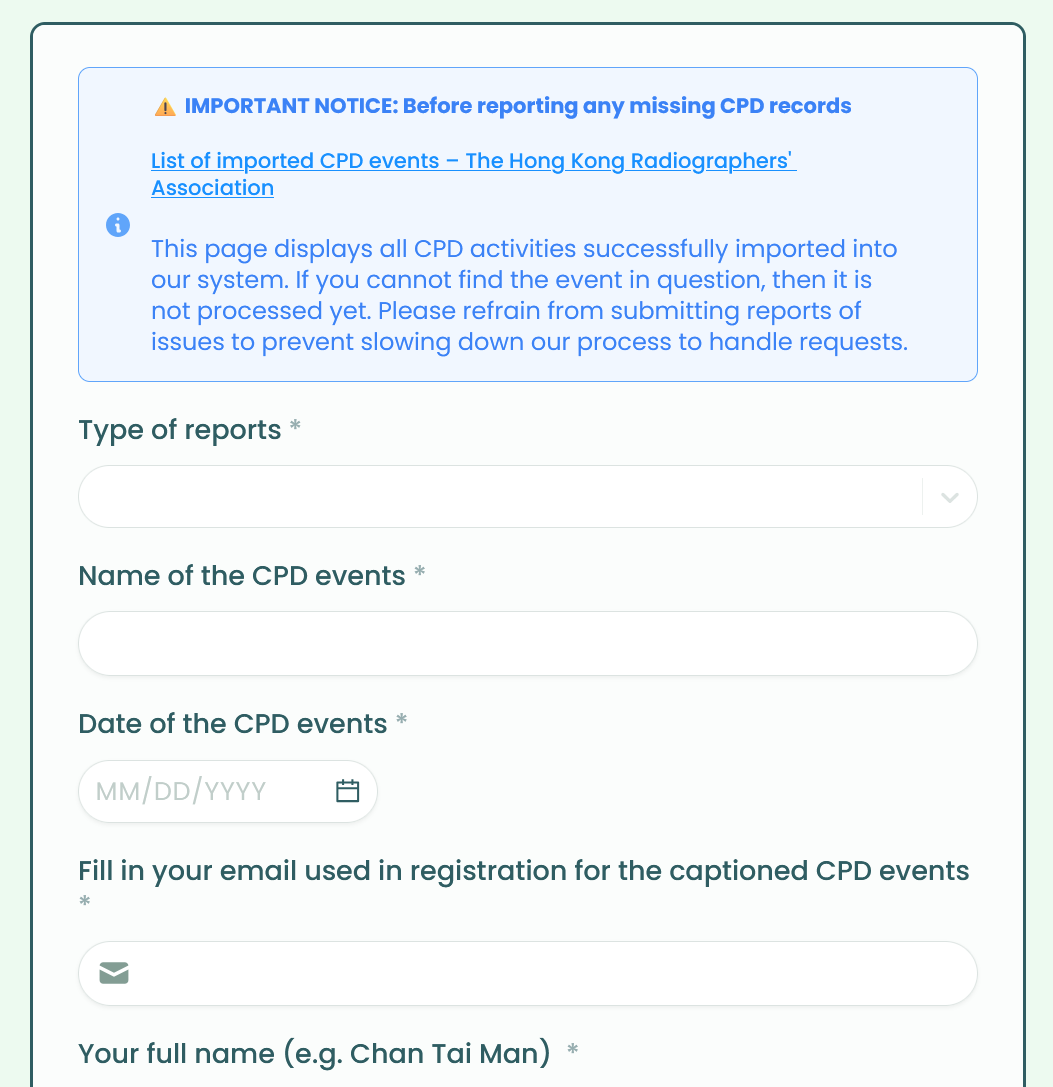
- Clicking it opens a form for reporting CPD issues.

- Before submitting, check the List of imported CPD events to see if your event is listed but not yet processed. Avoid reporting events already on this list but not yet processed.
- Fill in the required fields in the form (Type of report, Event name, Date, Registration email, Your full name, Radiographer Number, Remarks).
- Click “Submit”.

For general inquiries or if you cannot access the button, contact the HKRA secretariat directly via info@staging.hkra.org.hk
